Basic2D Scene (Capsule) - Bullet Physics
Create a minimal 2D scene using toolkit helpers and place a single capsule primitive. Demonstrates entity creation, basic positioning, and attaching the entity to the scene.
The Program.cs file shows how to:
- Creating a 2D primitive (Capsule)
- Positioning an entity with Transform.Position
- Adding entities to a Scene (rootScene)
- Using helpers: SetupBase2DScene
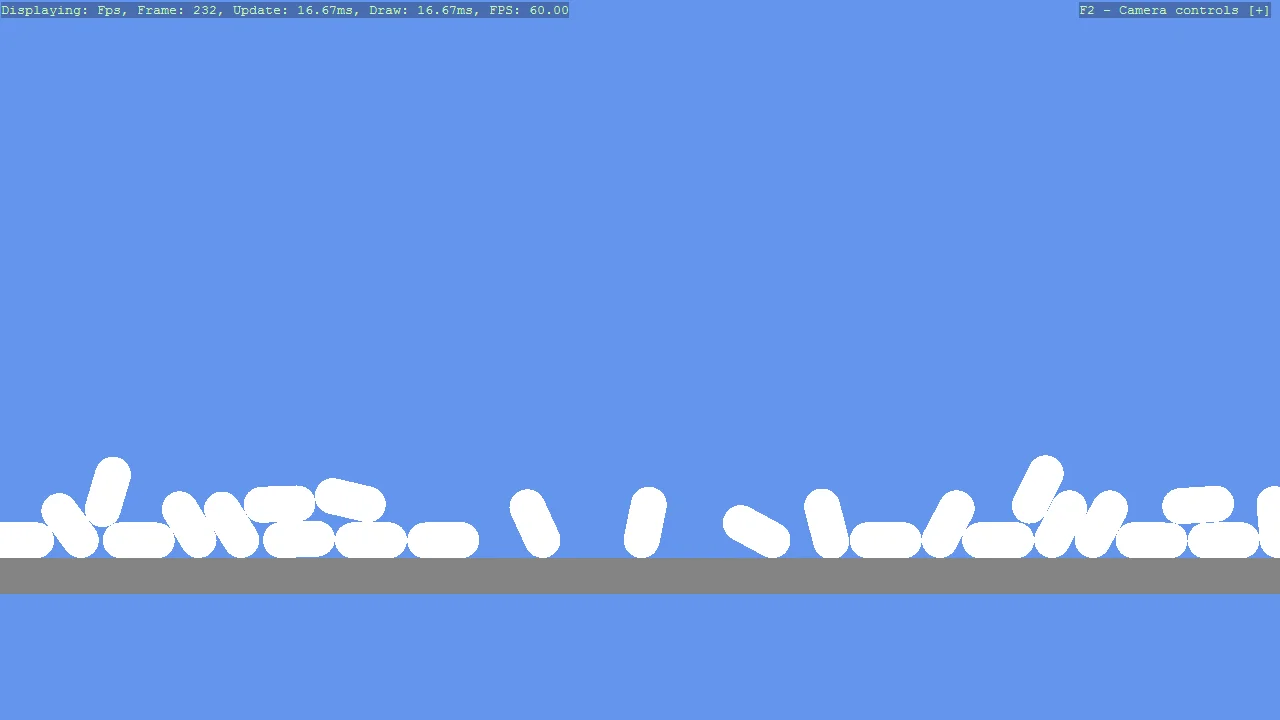
View on GitHub.
using Stride.CommunityToolkit.Bullet;
using Stride.CommunityToolkit.Engine;
using Stride.CommunityToolkit.Rendering.ProceduralModels;
using Stride.Core.Mathematics;
using Stride.Engine;

using var game = new Game();

game.Run(start: (Scene rootScene) =>
{
    game.SetupBase2DScene();
    game.AddProfiler();

    for (int i = 0; i <= 30; i++)
    {
        var primitive = game.Create2DPrimitive(Primitive2DModelType.Capsule, new()
        {
            Material = game.CreateFlatMaterial(Color.White),
            //Size = new Vector2(0.2f, 0.7f),
            //Size = new Vector2(0.1f, 1),
            Depth = 1
        });
        primitive.Transform.Position = new Vector3(0.001f * i, 10 + i * 2, 0);
        primitive.Scene = rootScene;
    }

    var entity2 = game.Create2DPrimitive(Primitive2DModelType.Rectangle, new()
    {
        Material = game.CreateFlatMaterial(Color.Red),
        Size = new Vector2(0.5f, 0.8f),
        Depth = 1
    });

    entity2.Transform.Position = new Vector3(0.2f, 20f, 0);
    //entity2.Add(new DebugRenderComponentScript());
    //entity2.Add(new CollidableGizmoScript()
    //{
    //    Color = new Color4(0.4f, 0.843f, 0, 0.9f),
    //    Visible = false
    //});

    entity2.Scene = rootScene;
});