Basic3D Scene (Engine Only)
A ground, a cube and a camera written against Stride alone, with no toolkit package: the graphics compositor, the camera, the lights, the procedural models and the material that the toolkit's SetupBase3D and Create3DPrimitive stand for. About ninety lines where the toolkit version is five, and a map of what each helper does underneath.
The Program.cs file shows how to:
- Running scene code with game.Script.AddTask before game.Run
- GraphicsCompositorHelper.CreateDefault and SceneSystem.GraphicsCompositor
- A CameraComponent bound to the compositor's camera slot
- LightDirectional with shadows plus a LightAmbient fill
- PlaneProceduralModel and CubeProceduralModel generated into a Model
- A Material from a MaterialDescriptor
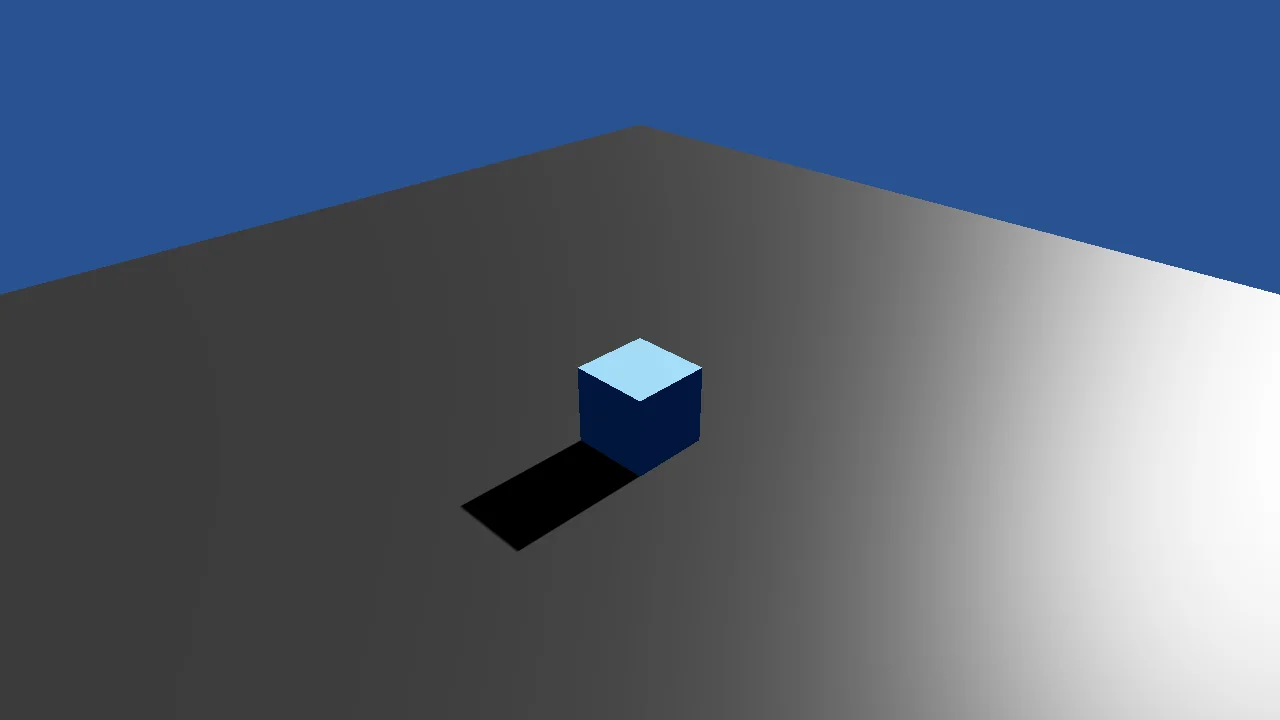
View on GitHub.
using Stride.Core.Mathematics;
using Stride.Engine;
using Stride.Rendering;
using Stride.Rendering.Colors;
using Stride.Rendering.Compositing;
using Stride.Rendering.Lights;
using Stride.Rendering.Materials;
using Stride.Rendering.Materials.ComputeColors;
using Stride.Rendering.ProceduralModels;

// Engine only: a ground, a cube and a camera written against Stride alone, with no toolkit package.
// It is here to show what the toolkit's one-liners stand for: SetupBase3D is the compositor, the
// camera and the light below; Create3DPrimitive is a procedural model, a material and an entity.
// No physics, no camera controller and no skybox, which are each a page of their own without the
// toolkit. The same scene as a file-based app is E01_3D_BasicScene_FileBasedApp/ProgramEngineOnly.cs.

using var game = new Game();

// Game has no start callback of its own. A script task added before Run is scheduled with the other
// scripts and first runs once the engine has made the device and an empty root scene.
game.Script.AddTask(Start);

game.Run();

Task Start()
{
    game.Window.Title = "Basic 3D Scene, engine only - Stride Community Toolkit";

    var scene = game.SceneSystem.SceneInstance.RootScene;

    // 1. The graphics compositor: how a frame is drawn. The engine's default is a forward renderer
    // with one camera slot, post effects and a clear colour. Without one nothing is drawn at all.
    var compositor = GraphicsCompositorHelper.CreateDefault(enablePostEffects: true, clearColor: Color.CornflowerBlue);

    game.SceneSystem.GraphicsCompositor = compositor;

    // 2. The camera, bound to the compositor's slot, up and to the side, looking down at the origin
    var camera = new Entity("Camera") { new CameraComponent { Slot = compositor.Cameras[0].ToSlotId() } };

    camera.Transform.Position = new Vector3(6f, 6f, 6f);
    camera.Transform.Rotation = Quaternion.RotationYawPitchRoll(MathUtil.DegreesToRadians(45f), MathUtil.DegreesToRadians(-30f), 0f);
    scene.Entities.Add(camera);

    // 3. Light: a directional light that casts shadows, and a weak ambient one so the faces turned
    // away from it are not black
    var sun = new Entity("Sun")
    {
        new LightComponent
        {
            Intensity = 20f,
            Type = new LightDirectional { Color = new ColorRgbProvider(Color.White), Shadow = { Enabled = true } },
        },
    };

    sun.Transform.Rotation = Quaternion.RotationX(MathUtil.DegreesToRadians(-30f)) * Quaternion.RotationY(MathUtil.DegreesToRadians(-180f));
    scene.Entities.Add(sun);
    scene.Entities.Add(new Entity("Ambient") { new LightComponent { Intensity = 0.2f, Type = new LightAmbient() } });

    // 4. The ground and the cube: an engine procedural model generated into a Model, a material for
    // its colour, and an entity to hold it
    scene.Entities.Add(CreateModelEntity("Ground", new PlaneProceduralModel { Size = new Vector2(20f, 20f) }, new Color(36, 36, 36), Vector3.Zero));
    scene.Entities.Add(CreateModelEntity("Cube", new CubeProceduralModel(), new Color(90, 160, 255), new Vector3(0f, 0.5f, 0f)));

    return Task.CompletedTask;
}

Entity CreateModelEntity(string name, PrimitiveProceduralModelBase shape, Color colour, Vector3 position)
{
    var model = shape.Generate(game.Services);

    model.Materials.Add(CreateMaterial(colour));

    var entity = new Entity(name) { new ModelComponent(model) };

    entity.Transform.Position = position;

    return entity;
}

// A lit, slightly glossy surface of one colour - what the toolkit's game.CreateMaterial builds
Material CreateMaterial(Color colour) => Material.New(game.GraphicsDevice, new MaterialDescriptor
{
    Attributes =
    {
        Diffuse = new MaterialDiffuseMapFeature(new ComputeColor(colour)),
        DiffuseModel = new MaterialDiffuseLambertModelFeature(),
        Specular = new MaterialMetalnessMapFeature(new ComputeFloat(0f)),
        SpecularModel = new MaterialSpecularMicrofacetModelFeature(),
        MicroSurface = new MaterialGlossinessMapFeature(new ComputeFloat(0.6f)),
    },
});