Box2D.NET Physics
This example demonstrates how to integrate Box2D.NET with Stride to run a fixed‑step 2D physics simulation, create dynamic/kinematic/static bodies, and visualize interactions in a 2D scene.
This example shows how to:
- Initialize a reusable 2D physics world and bridge it to Stride entities
- Configure gravity
- Create bodies and shapes
- Synchronize entity transforms from physics bodies
Note
This example requires the additional NuGet packages Stride.CommunityToolkit.Bepu, Stride.CommunityToolkit.Skyboxes and Stride.CommunityToolkit.Windows. Make sure to install all before running the code.
Note
This example requires also an additional NuGet package Box2D.NET. Make sure to install it before running the code.
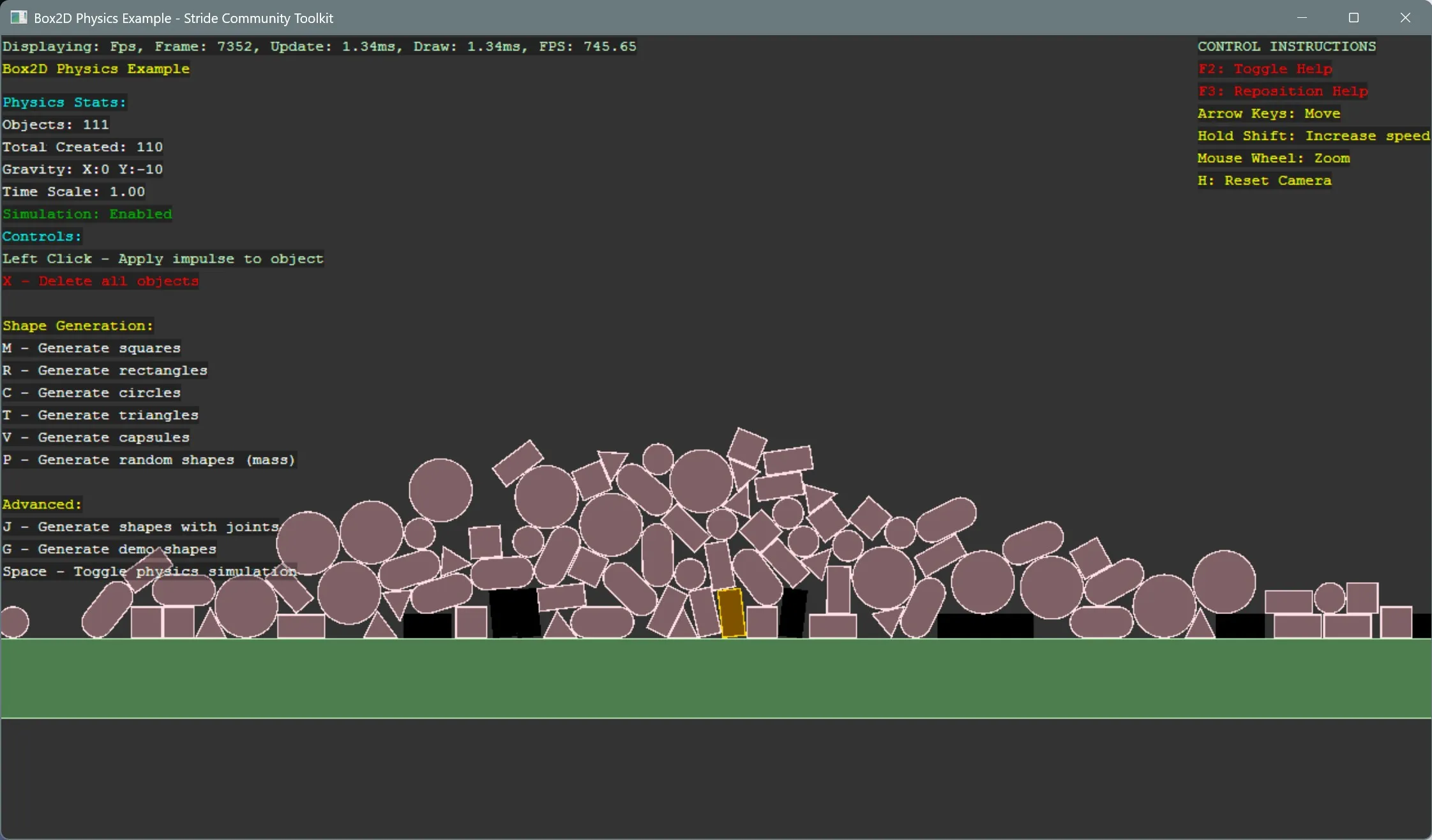
View on GitHub.
using Example18_Box2DPhysics;
using Example18_Box2DPhysics.Box2DPhysics;
using Example18_Box2DPhysics.Helpers;
using Stride.CommunityToolkit.Engine;
using Stride.Core.Mathematics;
using Stride.Engine;
using Stride.Games;

// Example 18: Box2D Physics Integration
// This example demonstrates how to integrate Box2D.NET with Stride game engine
// for 2D physics simulations with shapes, collisions, and interactive controls

//WindowsDpiManager.EnablePerMonitorV2();

// Global variables for the demo
Box2DSimulation? simulation = null;
SceneManager? sceneManager = null;

using var game = new Game();

game.Run(start: Start, update: Update);

void Start(Scene scene)
{
    // Configure the game window
    game.Window.AllowUserResizing = true;
    game.Window.Title = "Box2D Physics Example - Stride Community Toolkit";

    // Setup 2D scene with camera and controls
    game.SetupBase2D(clearColor: new Color(0.2f));
    game.Add2DCameraController();
    //game.AddGraphicsCompositor();
    //game.AddGraphicsCompositor2();
    //game.Add2DGraphicsCompositor(clearColor);
    //game.Add3DCamera().Add3DCameraController();
    //game.AddSkybox();
    game.AddProfiler();
    //game.AddRootRenderFeature(new OuterOutline2DShaderRenderFeature());
    game.AddRootRenderFeature(new SDFPerimeterOutline2DShaderRenderFeature());

    // Initialize the Box2D physics simulation
    simulation = new Box2DSimulation();
    ConfigurePhysicsWorld(simulation);

    // Initialize the demo manager to handle all demo logic
    sceneManager = new SceneManager(game, scene, simulation);
    sceneManager.Initialize();
}

void Update(Scene scene, GameTime gameTime)
{
    // Update physics simulation
    simulation?.Update(gameTime.Elapsed);

    // Update demo manager (handles input and UI)
    sceneManager?.Update(gameTime);
}

void ConfigurePhysicsWorld(Box2DSimulation simulation)
{
    // Configure gravity (negative Y is down)
    simulation.Gravity = new Vector2(0f, GameConfig.Gravity);

    // Enable contact events for collision detection
    simulation.EnableContactEvents = true;
    simulation.EnableSensorEvents = true;

    // Set physics timestep properties
    simulation.TimeScale = 1.0f;
    simulation.MaxStepsPerFrame = 3;
}