Collision Layer
This example demonstrates how to implement and control collision detection between different types of entities using Stride's collision layer system. The code showcases:
- Creation and configuration of separate collision layers for players, enemies, and the ground
- Setting up a collision matrix to define interaction rules between different layers
- Implementation of selective collision detection where players can collide with each other and the ground, but not with enemies
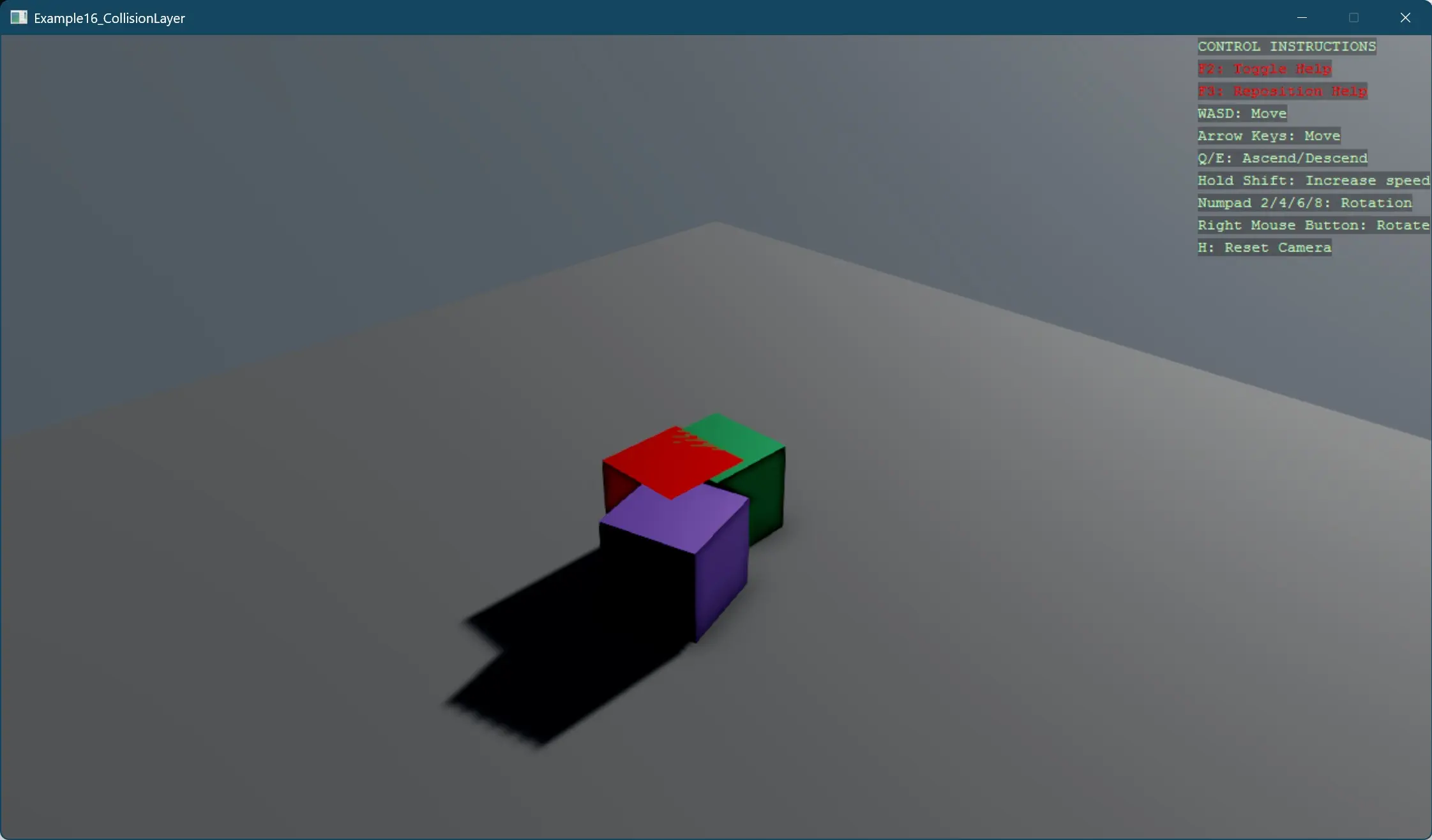
The example creates a scene with two player cubes (green and purple) that can interact with each other and the ground, plus a red enemy cube that passes through players while still colliding with the ground. This pattern is useful for implementing gameplay mechanics like ghost modes, team-based collision, or phasing through specific obstacles.
View on GitHub.
using Stride.BepuPhysics;
using Stride.BepuPhysics.Definitions;
using Stride.CommunityToolkit.Bepu;
using Stride.CommunityToolkit.Engine;
using Stride.CommunityToolkit.Rendering.ProceduralModels;
using Stride.CommunityToolkit.Skyboxes;
using Stride.Core.Mathematics;
using Stride.Engine;

// This example demonstrates CollisionLayer feature, two players colliding with each other and not colliding with the enemy entity (red cube)

// Define collision layers to control which objects can collide with each other
// Objects within the same layer can collide with each other
var playerLayer = CollisionLayer.Layer1;
var enemyLayer = CollisionLayer.Layer2;
var groundLayer = CollisionLayer.Layer3;

// CollisionMatrix is used to define which objects can collide with each other
var collisionMatrix = new CollisionMatrix();
collisionMatrix.Set(playerLayer, playerLayer, shouldCollide: true);
collisionMatrix.Set(playerLayer, enemyLayer, shouldCollide: false);
collisionMatrix.Set(playerLayer, groundLayer, shouldCollide: true);
collisionMatrix.Set(enemyLayer, groundLayer, shouldCollide: true);

using var game = new Game();

game.Run(start: Start);

// Sets up the initial scene with players and enemies
void Start(Scene scene)
{
    game.SetupBase3DScene();
    game.AddSkybox();

    SetupCollisionMatrix(scene);
    SetupGroundCollisionLayer(scene);

    // Create player entities
    CreateEntityWithLayer("Player1", Color.MediumSeaGreen, new Vector3(0, 0.5f, 0), scene, playerLayer);
    CreateEntityWithLayer("Player2", Color.MediumPurple, new Vector3(0.5f, 4, 0.7f), scene, playerLayer);

    // Create enemy entity
    CreateEntityWithLayer("Enemy", Color.Red, new Vector3(-0.1f, 12, 0.5f), scene, enemyLayer);
}

void SetupCollisionMatrix(Scene scene)
{
    var camera = scene.GetCamera();

    var simulation = camera?.Entity.GetSimulation();

    if (simulation == null) return;

    simulation.CollisionMatrix = collisionMatrix;
}

void SetupGroundCollisionLayer(Scene scene)
{
    var groundEntity = scene.Entities.FirstOrDefault(e => e.Name == "Ground");

    if (groundEntity == null) return;

    var groundBody = groundEntity.GetComponent<StaticComponent>();

    groundBody!.CollisionLayer = groundLayer;
}

void CreateEntityWithLayer(string name, Color color, Vector3 position, Scene scene, CollisionLayer layer)
{
    var enemy = CreateEntity(name, color, position);
    var body = enemy.GetComponent<BodyComponent>();

    body!.CollisionLayer = layer;

    enemy.Scene = scene;
}

Entity CreateEntity(string name, Color color, Vector3 position)
{
    var entity = game.Create3DPrimitive(PrimitiveModelType.Cube, new()
    {
        EntityName = name,
        Material = game.CreateMaterial(color),
    });

    entity.Transform.Position = position;

    return entity;
}