Basic 2D Scene (Debug Rendering)
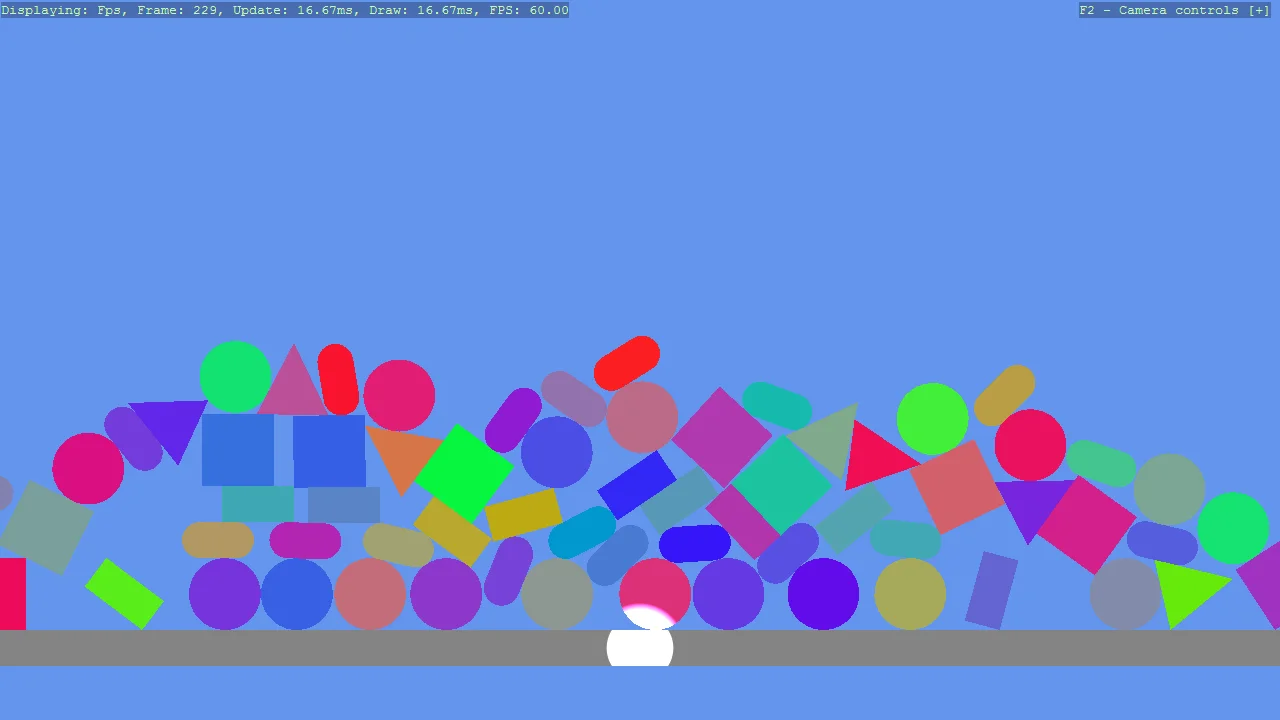
A pile of falling 2D shapes with the physics debug overlays turned on, so what the simulation is actually solving can be seen rather than inferred. P draws the colliders and F11 draws the debug meshes. Both come from AddPhysicsDebug, one entity with the two scripts; each acts on the whole scene, so one entity is all any scene needs. A spot light is included because 2D scenes are lit like any other and look flat without one.
The Program.cs file shows how to:
- Both debug views on one entity with AddPhysicsDebug, the colliders on P and the debug meshes on F11
- Why one entity is enough, since CollidableGizmoScript and DebugRenderComponentScript act on the whole scene
- Lighting a 2D scene with a LightSpot
- Giving each shape its own colour with a flat material
- Using helpers: SceneSetup2D, CreatePrimitive, CreateFlatMaterial, AddPhysicsDebug, AddGrabber
View on GitHub.
using Stride.CommunityToolkit.Bepu;
using Stride.CommunityToolkit.Engine;
using Stride.CommunityToolkit.Mathematics;
using Stride.CommunityToolkit.Rendering.ProceduralModels;
using Stride.CommunityToolkit.Rendering.Text;
using Stride.Core.Mathematics;
using Stride.Engine;
using Stride.Rendering.Lights;

var random = new Random(1);
var count = 10;
List<Primitive2D> primitives = [
    Primitive2D.Circle(),
    Primitive2D.Capsule(),
    Primitive2D.Rectangle(),
    Primitive2D.Square(),
    Primitive2D.Triangle(),
    Primitive2D.Circle(),
    Primitive2D.Capsule(),
];

using var game = new Game();

game.Run(new SceneSetup2D { Profiler = true }.UseBepu(), start: Start);

void Start(Scene rootScene)
{
    // Left mouse grabs any body, drags it and throws it on release
    game.AddGrabber();

    game.Window.AllowUserResizing = true;
    game.Window.Title = "Bepu 2D Physics Primitives";

    var ground = rootScene.Entities.First(e => e.Name == GameDefaults.DefaultGroundName);
    ground.Transform.Position = new Vector3(0, -4, 0);

    // Lighting example for 2D scene
    AddSpotLight(rootScene);

    for (int i = -count / 2; i < count / 2; i++)
    {
        foreach (var (index, primitive) in primitives.Index())
        {
            var entity = game.CreatePrimitive(primitive, new()
            {
                Material = game.CreateFlatMaterial(random.NextColor()),
            });

            entity.Transform.Position = new Vector3(i, 10 + index * 1.5f, 0);
            entity.Scene = rootScene;
        }
    }

    // One entity with both debug views, since each acts on the whole scene: P draws the colliders,
    // F11 the debug meshes
    game.AddPhysicsDebug(gizmoColor: new Color4(0.4f, 0.843f, 0, 0.9f));

    DebugOverlay.GetOrCreate(game).AddSection("Debug", static () =>
    [
        new("Left mouse", "Grab a shape, drag it, let go to throw", Color.Yellow),
        new("F11", "Mesh wireframes", Color.Yellow),
        new("P", "Collider outlines", Color.Yellow),
    ]);
}

static void AddSpotLight(Scene rootScene)
{
    var spotLight = new Entity("SpotLight")
    {
        new LightComponent
        {
            Type = new LightSpot
            {
                Range = 20f,
                AngleInner = 20f,
                AngleOuter = 35f
            },
            Intensity = 1000f,
        }
    };

    spotLight.Transform.Position = new Vector3(0, -4, 2);
    spotLight.Scene = rootScene;
}