Debug Render Component
The companion to the collidable gizmo: DebugRenderComponentScript draws the wireframe of an entity's own mesh rather than its collider. Having both on the same scene is how you tell the two apart - when a body behaves oddly, the question is usually whether the mesh and the collider agree, and each script answers one half of that.
The Program.cs file shows how to:
- Drawing an entity's mesh as a wireframe overlay
- How this differs from CollidableGizmoScript, which draws the collider
- Toggling the overlay with its Visible property
- Comparing mesh against collider when a body misbehaves
- Using helpers: SetupBase3DScene, AddSkybox, AddProfiler, Create3DPrimitive
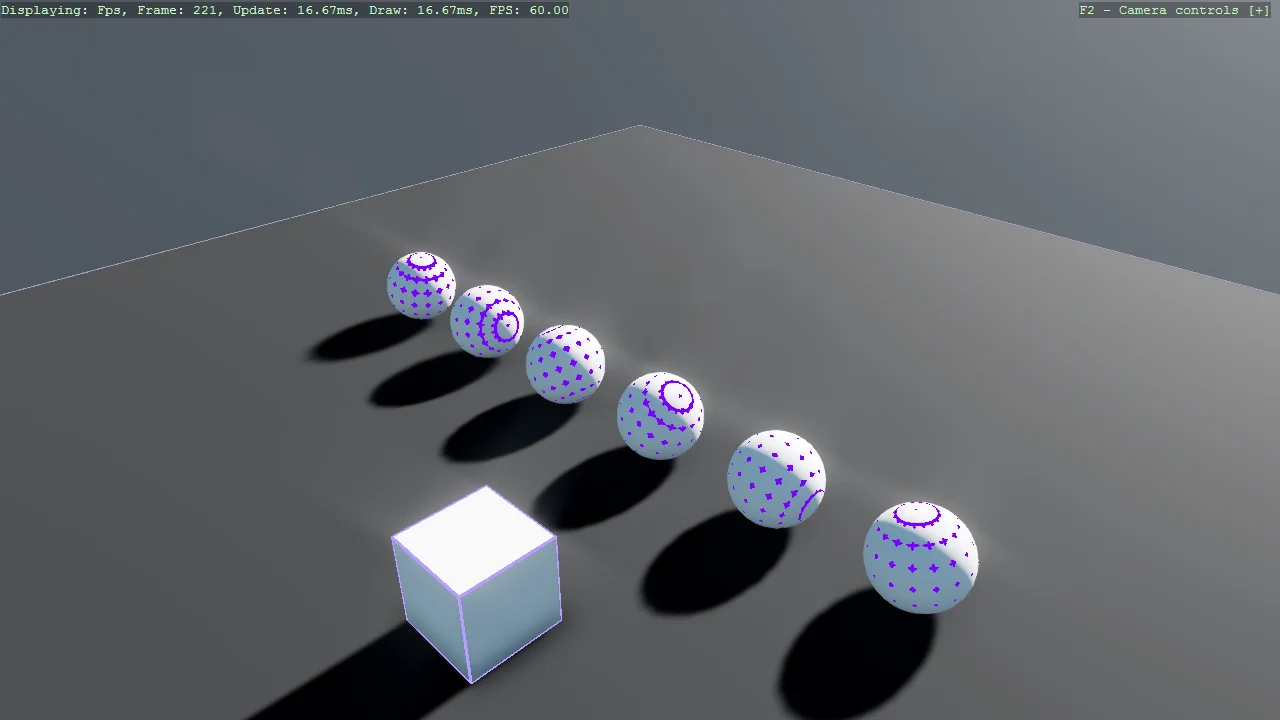
View on GitHub.
using Stride.CommunityToolkit.Bepu;
using Stride.CommunityToolkit.Engine;
using Stride.CommunityToolkit.Rendering.ProceduralModels;
using Stride.CommunityToolkit.Skyboxes;
using Stride.Core.Mathematics;
using Stride.Engine;

const string SphereEntityName = "Sphere";

using var game = new Game();

game.Run(start: Start);

void Start(Scene rootScene)
{
    game.SetupBase3DScene();
    game.AddSkybox();
    game.AddProfiler();

    var entity = game.Create3DPrimitive(PrimitiveModelType.Cube);
    entity.Transform.Position = new Vector3(1f, 0.5f, 3f);
    entity.Add(new DebugRenderComponentScript() { Visible = true });
    entity.Scene = rootScene;

    CreateSpheres(rootScene, 6);
}

void CreateSpheres(Scene rootScene, int count)
{
    int half = count / 2;

    for (int i = -half; i < half; i++)
    {
        var entity = game.Create3DPrimitive(PrimitiveModelType.Sphere, new() { EntityName = SphereEntityName });
        entity.Transform.Position = new Vector3(i * 0.99f, 1, 0);
        entity.Scene = rootScene;
    }
}