Debug Shapes
The full tour of the DebugShapes package: every immediate-mode primitive it can draw, exercised from a ShapeUpdater component so the shapes animate and the batching can be seen under load. Debug shapes are drawn per frame and never become entities, which is what makes them cheap enough to leave in while you work.
The Program.cs file shows how to:
- Registering the debug shape renderer
- Drawing every primitive the package offers
- Why immediate-mode shapes cost nothing to create and destroy
- Driving debug drawing from a component that updates each frame
- Requires the Stride.CommunityToolkit.DebugShapes package
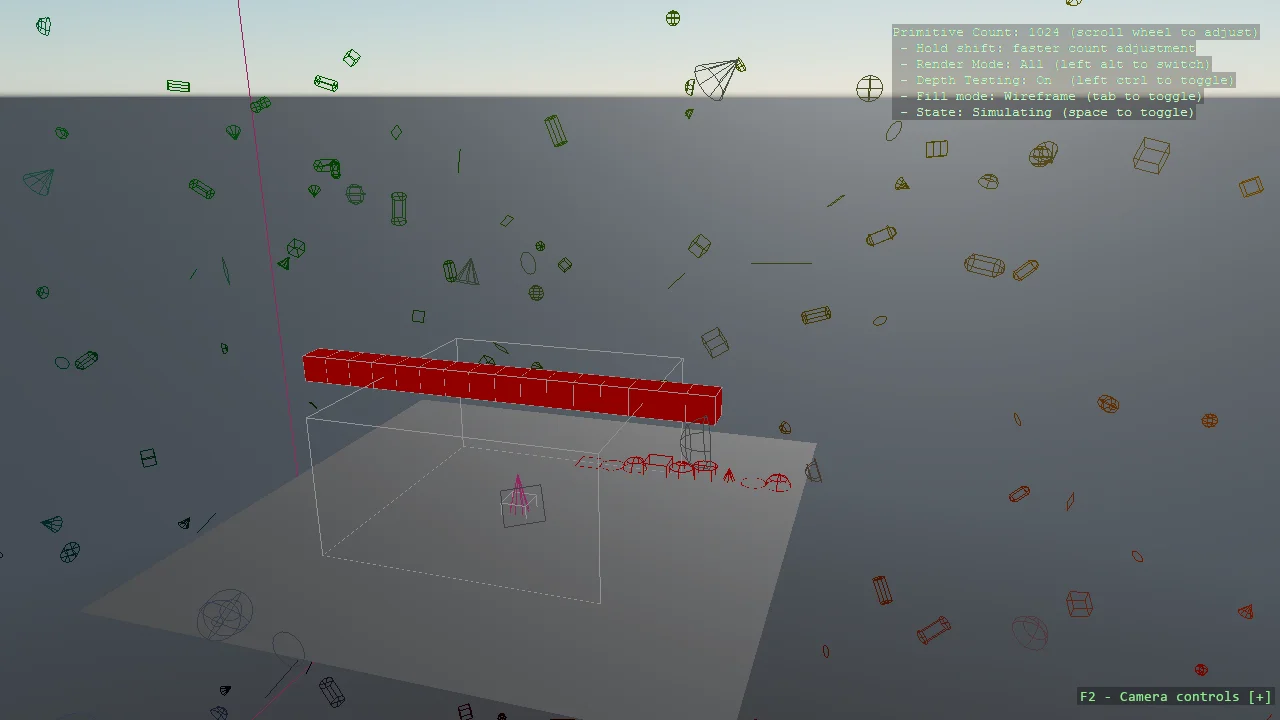
View on GitHub.
using E08_3D_DebugShapes.Scripts;
using Stride.CommunityToolkit.Bepu;
using Stride.CommunityToolkit.DebugShapes;
using Stride.CommunityToolkit.Engine;
using Stride.CommunityToolkit.Skyboxes;
using Stride.Engine;

using var game = new Game();

game.Run(new SceneSetup3D
{
    Camera = CameraSetup.Perspective(position: new(13, 15, 27), rotation: new(17, -17, 0)).WithController(),
    Profiler = true
}.UseBepu().UseSkybox(), start: Start);

void Start(Scene rootScene)
{
    game.AddDebugShapes();
    AddDebugComponent(rootScene);
}

void AddDebugComponent(Scene scene)
{
    var entity = new Entity("Debug Shapes")
    {
        new ShapeUpdater()
    };

    scene.Entities.Add(entity);
}