Give me a cube
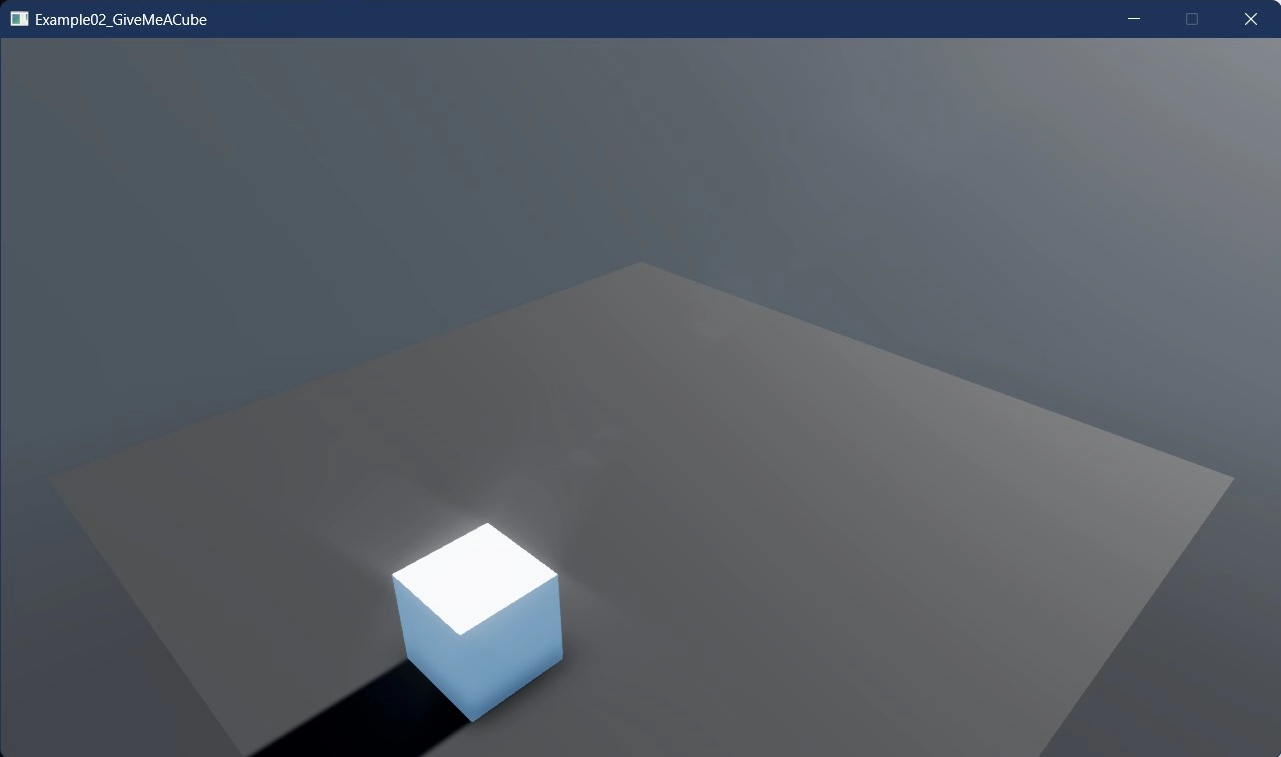
This example demonstrates the essential steps to create a 3D cube in Stride. Just like the previous example, the cube entity comes automatically equipped with a rigid body and a collider, thanks to the CreatePrimitive() method.
The cube is positioned at (1f, 0.5f, 3f) in the 3D world space. This example is perfect for those who are new to 3D game development with Stride.
View on GitHub.
using E02_3D_GiveMeACube;
using Stride.BepuPhysics;
using Stride.BepuPhysics.Definitions.Colliders;
using Stride.CommunityToolkit.Bepu;
using Stride.CommunityToolkit.Engine;
using Stride.CommunityToolkit.Rendering.ProceduralModels;
using Stride.CommunityToolkit.Skyboxes;
using Stride.Core.Mathematics;
using Stride.Engine;

// A cube orbits the scene and knocks a ring of smaller cubes out of its way.
// The orbit is driven by OrbitScript, a SyncScript attached to the entity, rather than by the update
// callback of game.Run(...) - that is what this example is really demonstrating.

// Half of a 1x1x1 cube, so it sits exactly on the ground
const float CubeRestingHeight = 0.5f;

const float OrbitRadius = 3f;
const float OrbitSpeed = 1f;

const float LooseCubeSize = 0.4f;
const int LooseCubeCount = 8;

using var game = new Game();

game.Run(start: Start);

void Start(Scene rootScene)
{
    // Camera, directional light and a ground plane
    game.SetupBase3DScene();
    game.AddSkybox();

    CreateCentreCube(rootScene);
    CreateLooseCubes(rootScene);
    CreateOrbitingCube(rootScene);
}

/// <summary>
/// Creates the cube the orbit is centred on, using the toolkit's default Bepu physics: a dynamic body
/// with a matching box collider. It rests on the ground and the orbit never reaches it.
/// </summary>
void CreateCentreCube(Scene rootScene)
{
    var cube = game.Create3DPrimitive(PrimitiveModelType.Cube, new Bepu3DPhysicsOptions());

    cube.Transform.Position = new Vector3(0, CubeRestingHeight, 0);
    cube.Scene = rootScene;
}

/// <summary>
/// Scatters small dynamic cubes evenly around the orbit path, so there is something for the orbiting
/// cube to collide with.
/// </summary>
void CreateLooseCubes(Scene rootScene)
{
    for (var i = 0; i < LooseCubeCount; i++)
    {
        // The half step keeps the first cube clear of the orbiting cube's spawn point
        var angle = MathF.Tau * (i + 0.5f) / LooseCubeCount;

        // Size drives both the generated model and the generated collider
        var cube = game.Create3DPrimitive(PrimitiveModelType.Cube, new Bepu3DPhysicsOptions
        {
            Size = new Vector3(LooseCubeSize)
        });

        cube.Transform.Position = new Vector3(
            MathF.Sin(angle) * OrbitRadius,
            LooseCubeSize / 2,
            MathF.Cos(angle) * OrbitRadius);

        cube.Scene = rootScene;
    }
}

/// <summary>
/// Creates the cube that <see cref="OrbitScript"/> moves.
/// </summary>
/// <remarks>
/// The body is kinematic, so it follows the scripted path without being affected by gravity or by the
/// cubes it hits, while still pushing them aside. A dynamic body would fall and be knocked off course;
/// an entity with no body at all could be moved by writing its transform, but would pass straight
/// through everything.
/// </remarks>
void CreateOrbitingCube(Scene rootScene)
{
    var cube = game.Create3DPrimitive(PrimitiveModelType.Cube, new Bepu3DPhysicsOptions
    {
        Component = new BodyComponent
        {
            Kinematic = true,
            Collider = new CompoundCollider()
        }
    });

    // Spawn on the circle, not at its centre: the script steers the body towards the next point on
    // the orbit, so starting three units away would demand a huge velocity on the very first tick.
    cube.Transform.Position = new Vector3(0, CubeRestingHeight, OrbitRadius);

    // Adding the script is what gives the entity its behaviour
    cube.Add(new OrbitScript
    {
        Centre = new Vector3(0, CubeRestingHeight, 0),
        Radius = OrbitRadius,
        AngularSpeed = OrbitSpeed
    });

    cube.Scene = rootScene;
}