Basic Gum UI Setup
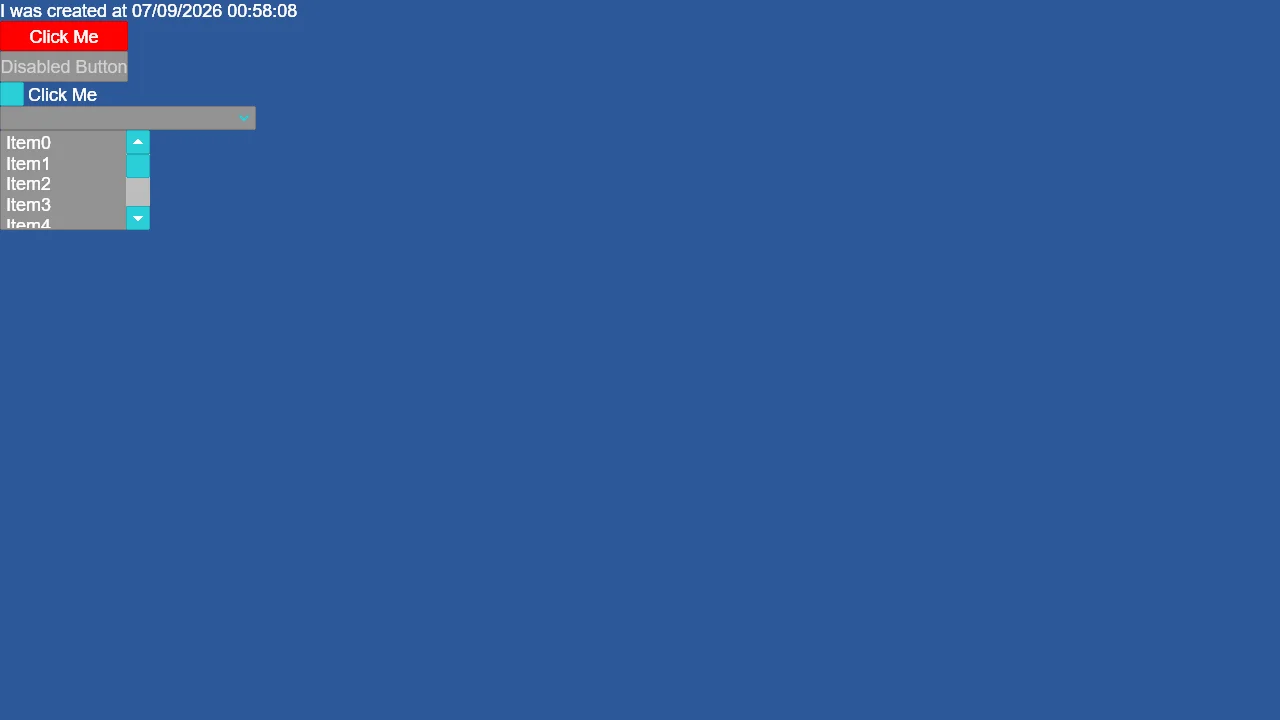
Initialize Gum UI in Stride using the official Gum.Stride runtime and the Stride Community Toolkit. Demonstrates setting up GumService with the Game instance, updating the UI layout in the game loop, and building interactive UI layouts in C# with Gum Forms controls such as StackPanel, Label, Button, CheckBox, ComboBox, and ListBox, complete with styling and event handling.
The Program.cs file shows how to:
- Initializing Gum UI via GumService.Default.Initialize(game)
- Driving Gum layout updates using GumService.Default.Update(gameTime)
- Setting up scene graphics compositing and a 2D camera with Stride Community Toolkit
- Constructing UI hierarchy using Gum.Forms controls (StackPanel, Label, Button, CheckBox, ComboBox, ListBox)
- Handling UI events and modifying visual properties such as background color
View on GitHub.
using Gum;
using Gum.Forms.Controls;
using Gum.Forms.DefaultVisuals.V3;
using SkiaGum.Helpers;
using Stride.CommunityToolkit.Engine;
using Stride.CommunityToolkit.Rendering.Compositing;
using Stride.Engine;
using Stride.Games;
using System.Drawing;

using var game = new Game();

game.Run(start: Start, update: Update);

void Start(Scene rootScene)
{
    game.AddGraphicsCompositor().AddCleanUIStage();
    game.Add2DCamera();

    //Initialize GumUi
    GumService.Default.Initialize(game);

    CreateUi();
}

void Update(Scene scene, GameTime time)
{
    double gameTime = game.UpdateTime.Elapsed.TotalSeconds;
    GumService.Default.Update(gameTime);
}

void CreateUi()
{
    var mainPanel = new StackPanel();
    mainPanel.AddToRoot();

    //Labels
    var label = new Label();
    mainPanel.AddChild(label);
    label.Text = $"I was created at {System.DateTime.Now}";

    //Buttons
    var button = new Button();
    mainPanel.AddChild(button);
    button.Text = "Click Me";
    button.Click += (_, _) => label.Text = $"Button clicked @ {System.DateTime.Now}";

    var disabledButton = new Button();
    mainPanel.AddChild(disabledButton);
    disabledButton.Text = "Disabled Button";
    disabledButton.IsEnabled = false;

    //Styling a Button
    var buttonVisual = (ButtonVisual)button.Visual;
    buttonVisual.BackgroundColor = Color.Red.ToSkia();

    //CheckBox
    var checkBox = new CheckBox();
    mainPanel.AddChild(checkBox);
    checkBox.Text = "Click Me";
    checkBox.Checked += (_, _) => label.Text = "CheckBox checked";
    checkBox.Unchecked += (_, _) => label.Text = "CheckBox unchecked";

    //ComboBox
    var comboBox = new ComboBox();
    for (int i = 0; i < 10; i++)
    {
        comboBox.Items.Add($"Item {i}");
    }
    comboBox.SelectionChanged += (_, _) =>
    {
        label.Text = "Selected: " + comboBox.SelectedObject;
    };
    mainPanel.AddChild(comboBox);

    //ListBox
    var listBox = new ListBox();
    listBox.Visual.Width = 150;
    listBox.Height = 100;

    for (int i = 0; i < 10; i++)
    {
        listBox.Items?.Add($"Item{i}");
    }

    listBox.SelectionChanged += (_, _) =>
    {
        label.Text = $"Selected item is {listBox.SelectedObject} at index {listBox.SelectedIndex}";
    };
    mainPanel.AddChild(listBox);
}