Basic2D Scene (Multiple Primitives)
Create a minimal 2D scene using toolkit helpers and place multiple different primitive shapes. Demonstrates entity creation, basic positioning, and attaching the entities to the scene.
The Program.cs file shows how to:
- Creating multiple 2D primitives (Circle, Capsule, Rectangle, Square, Polygon, Triangle)
- Positioning entities with Transform.Position
- Adding entities to a Scene (rootScene)
- Using helpers: SetupBase2DScene
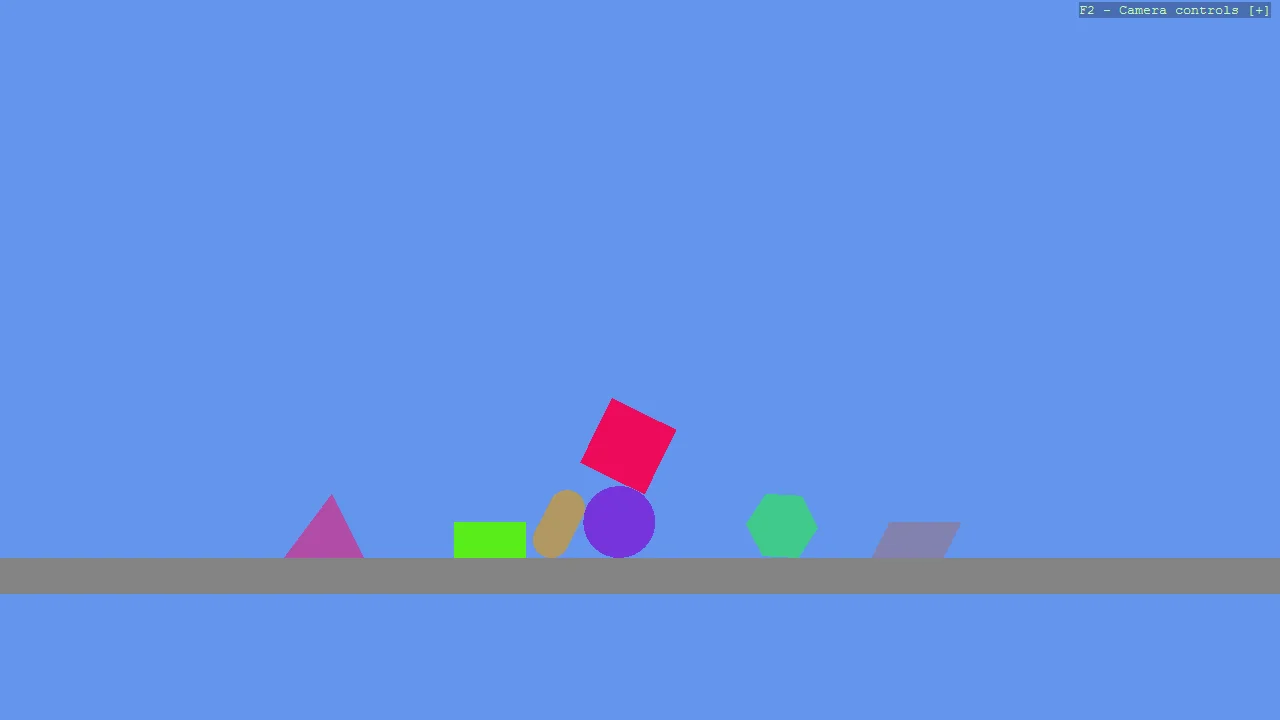
View on GitHub.
using Stride.CommunityToolkit.Bepu;
using Stride.CommunityToolkit.Engine;
using Stride.CommunityToolkit.Mathematics;
using Stride.CommunityToolkit.Rendering.ProceduralModels;
using Stride.Core.Mathematics;
using Stride.Engine;

var random = new Random(1);
var parallelogramVertices = new Vector2[]
{
    new(-0.5f, -0.25f),
    new(0.5f, -0.25f),
    new(0.75f, 0.25f),
    new(-0.25f, 0.25f),
};

List<ShapeItem> shapes = [
    new(Primitive2DModelType.Circle),
    new(Primitive2DModelType.Capsule),
    new(Primitive2DModelType.Rectangle),
    new(Primitive2DModelType.Square),
    new(Primitive2DModelType.Polygon),
    new(Primitive2DModelType.Triangle),
    new(Primitive2DModelType.Polygon, parallelogramVertices)
];

using var game = new Game();

game.Run(start: Start);

void Start(Scene rootScene)
{
    game.SetupBase2DScene();

    foreach (var (index, shape) in shapes.Index())
    {
        var entity = game.Create2DPrimitive(shape.Type, new()
        {
            Material = game.CreateFlatMaterial(random.NextColor()),
            Vertices = shape.Vertices,
        });

        entity.Transform.Position = new Vector3(0, 10 + index * 1.5f, 0);
        entity.Scene = rootScene;
    }
}

public record ShapeItem(Primitive2DModelType Type, Vector2[]? Vertices = null);