Procedural Sound
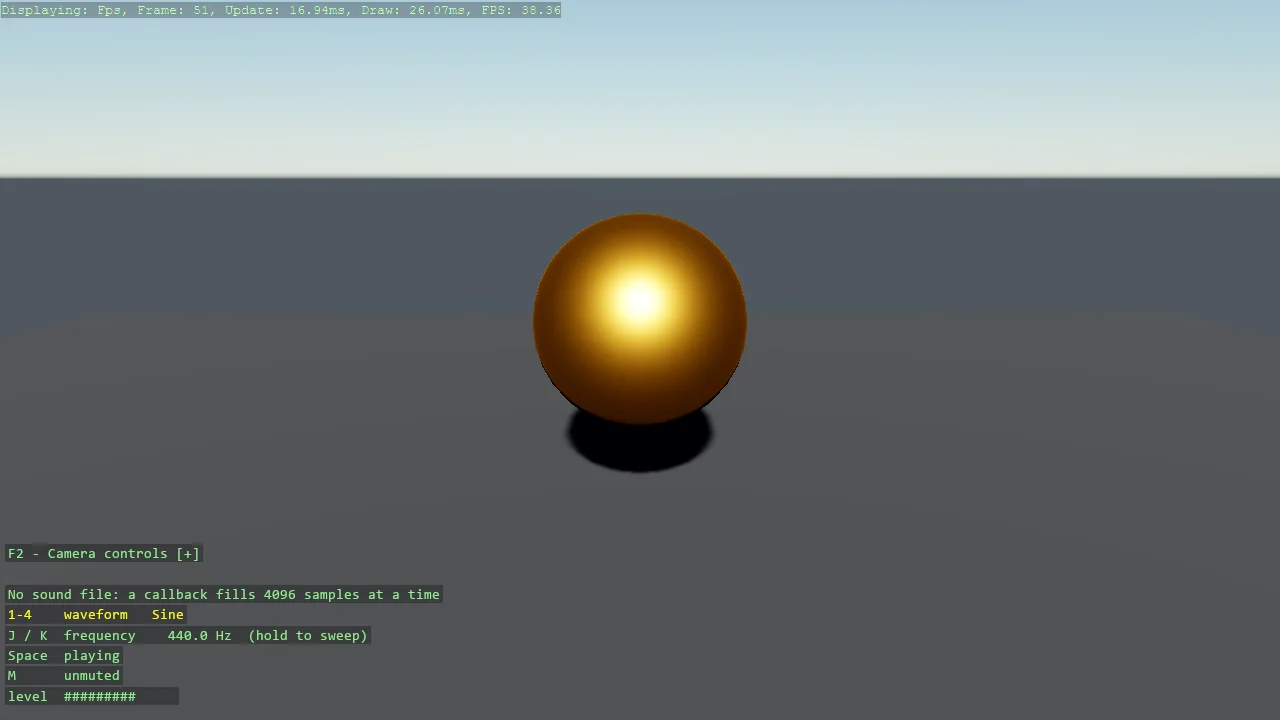
A tone with no sound file: a callback computes the samples as they play. Stride's Sound type only comes out of the asset pipeline, so this is how a code-only game makes a noise at all - the SoundInstance constructor that takes a DynamicSoundSource, wrapped by CreateProceduralSound. Digits pick sine, square, sawtooth or triangle, J and K sweep the pitch, and the orb swells with the signal level.
The Program.cs file shows how to:
- Why there is no Sound in a code-only game, and the door that is open: DynamicSoundSource
- Generating audio in a callback with game.Audio.CreateProceduralSound
- Sharing state between the game thread and the audio thread without a lock
- Buffering and the latency it implies
- Showing live audio state as a DebugOverlay section
- Using helpers: SetupBase3DScene, Create3DPrimitive, CreateMaterial
View on GitHub.
using Stride.Audio;
using Stride.CommunityToolkit.Audio;
using Stride.CommunityToolkit.Bepu;
using Stride.CommunityToolkit.Engine;
using Stride.CommunityToolkit.Rendering.ProceduralModels;
using Stride.CommunityToolkit.Scripts.Utilities;
using Stride.CommunityToolkit.Skyboxes;
using Stride.Core.Mathematics;
using Stride.Engine;
using Stride.Input;
using Stride.Media;

// A sound with no sound file: the samples come from a callback, computed as they are played.
//
// Stride's Sound - the type an AudioEmitterComponent plays - can only come out of the asset
// pipeline; there is no way to build one in code. The door that is open is the SoundInstance
// constructor that takes a DynamicSoundSource: the engine asks the source for a block of samples
// whenever it has a free buffer, and CreateProceduralSound puts a callback behind that. Four
// buffers of 4096 samples at 44.1 kHz means a change made here is heard within about a tenth of a
// second.
//
// The callback runs on the audio worker thread, not the game thread. Everything it reads from the
// game - waveform, frequency, mute - is a single int or float, which .NET writes atomically, so
// no lock is needed; the phase it keeps between calls belongs to the audio thread alone.

const float MinFrequency = 55f;
const float MaxFrequency = 3520f;
const float Gain = 0.35f;              // well under full scale: a square wave at 1.0 is unpleasant

string[] waveforms = ["Sine", "Square", "Sawtooth", "Triangle"];

var waveform = 0;                      // game thread writes, audio thread reads
var frequency = 440f;
var muted = false;
var level = 0f;                        // audio thread writes, game thread reads: the meter

var phase = 0.0;                       // audio thread only, in cycles

SoundInstance? tone = null;
Entity? orb = null;

using var game = new Game();

game.Run(start: Start, update: Update);

void Start(Scene scene)
{
    game.SetupBase3DScene();
    game.AddSkybox();
    game.AddProfiler();

    game.SetCameraPosition(new Vector3(0, 2.5f, -6));
    game.SetCameraRotation(new Vector3(180, -12, 0));

    // Something to look at: the orb swells with the signal level.
    orb = game.Create3DPrimitive(PrimitiveModelType.Sphere, new()
    {
        Material = game.CreateMaterial(new Color(255, 170, 60)),
        IncludeCollider = false,
        Position = new Vector3(0, 1.5f, 0),
    });
    orb.Scene = scene;

    // Throws with a reason when there is no audio engine (Linux without OpenAL, a headless machine).
    tone = game.Audio.CreateProceduralSound(Fill);
    tone.Play();

    AddInstructions();
}

// Called on the audio worker thread for every block. `samples` is interleaved by channel; this
// sound is mono, so channels is 1 and the block is 4096 samples.
void Fill(Span<short> samples, int sampleRate, int channels)
{
    var shape = waveform;
    var step = frequency / sampleRate;                       // cycles per sample
    var gain = muted ? 0f : Gain;
    var energy = 0.0;

    for (var i = 0; i < samples.Length; i++)
    {
        var t = (float)phase;                                // where in the cycle, 0..1

        var value = shape switch
        {
            0 => MathF.Sin(2 * MathF.PI * t),
            1 => t < 0.5f ? 1f : -1f,
            2 => 2 * t - 1,
            _ => 1 - 4 * MathF.Abs(t - 0.5f),
        };

        samples[i] = (short)(value * gain * short.MaxValue);
        energy += value * value;

        phase += step;

        if (phase >= 1)
            phase -= 1;
    }

    level = gain * (float)Math.Sqrt(energy / samples.Length);
}

void Update(Scene scene, Stride.Games.GameTime time)
{
    var input = game.Input;

    for (var i = 0; i < waveforms.Length; i++)
    {
        if (input.IsKeyPressed(Keys.D1 + i))
            waveform = i;
    }

    // Hold to sweep: one octave per second, either way.
    var octaves = (input.IsKeyDown(Keys.K) ? 1 : 0) - (input.IsKeyDown(Keys.J) ? 1 : 0);

    if (octaves != 0)
        frequency = Math.Clamp(frequency * MathF.Pow(2, octaves * (float)time.Elapsed.TotalSeconds), MinFrequency, MaxFrequency);

    if (input.IsKeyPressed(Keys.M))
        muted = !muted;

    if (input.IsKeyPressed(Keys.Space) && tone is not null)
    {
        if (tone.PlayState == PlayState.Playing)
            tone.Stop();
        else
            tone.Play();
    }

    // The meter is the audio thread's last block; ease toward it so the orb does not flicker.
    if (orb is not null)
    {
        var target = 1 + level * 2;
        var scale = orb.Transform.Scale.X;
        orb.Transform.Scale = new Vector3(scale + (target - scale) * 0.3f);
    }
}

void AddInstructions()
{
    var overlay = DebugOverlay.GetOrCreate(game);

    overlay.AddSection("Procedural sound", () =>
    {
        var playing = tone?.PlayState == PlayState.Playing;

        return
        [
            new(["1", "2", "3", "4"], $"Waveform: {waveforms[waveform]}", Color.Yellow),
            new(["J", "K"], $"Frequency {frequency:0.0} Hz, hold to sweep", Color.Yellow),
            new("Space", playing ? "Playing" : "Stopped", playing ? Color.LightGreen : Color.OrangeRed),
            new("M", muted ? "Muted" : "Unmuted", Color.Yellow),
            new(""),
            new($"Level {new string('#', (int)(level * 40)),-14}"),
            new("No sound file: a callback fills 4096 samples", Color.LightGray),
            new("at a time", Color.LightGray),
        ];
    });
}